


| แบบอย่าง# | การทดสอบความยาวคลื่น | ช่วงไดนามิก | โซนตายเหตุการณ์/การลดทอน |
| 8000แม็กซ์-S1 | 1310/1550 นาโนเมตร | 32/30เดซิเบล | 0.8/4 |
| 8000แม็กซ์-S2 | 1310/1550 นาโนเมตร | 35/33เดซิเบล | 0.8/4ม. |
| 8000แม็กซ์-T2 | 1310/1550/1625 นาโนเมตร | 35/33/32เดซิเบล | 0.8/4ม. |
| 8000แม็กซ์-T3 | 1310/1550/1650 นาโนเมตร | 35/33/32เดซิเบล | 0.8/4ม. |
| 8000แม็กซ์-เอ็ม1 | 850/1300 นาโนเมตร | 20/26เดซิเบล | 1.2/5ม. |
| 8000แม็กซ์-Q1 | 1310/1550/850/1300 นาโนเมตร | 28/26/20/26เดซิเบล | 0.8/4ม., 1.2ม./5ม. |
|
8000แม็กซ์-10G1 |
1310/1550/1270/1577/1625 นาโนเมตร |
37/35/35/35/35เดซิเบล |
0.8/4ม., 1.2ม./5ม. |
|
8000แม็กซ์-10G2 |
1310/1550/1270/1577/1650 นาโนเมตร |
37/35/35/35/35เดซิเบล |
0.8/4ม., 1.2ม./5ม. |
หมายเหตุ: โปรดดาวน์โหลดแคตตาล็อกเพื่อดูรุ่นเสริมทั้งหมด นอกจากนี้ เรายังสามารถปรับแต่ง OTDR ตามความต้องการของคุณได้อีกด้วย
รุ่น 8000MAX-10G ใช้สำหรับการทดสอบเครือข่ายไฟเบอร์ GPON, XGPON, XGSPON
ซื้อหนึ่งแถมหนึ่ง
- OTDR (อัตโนมัติ)
- OTDR (แบบแมนนวล | แบบเฉลี่ย)
- OTDR (เรียลไทม์)
- แผนที่กิจกรรม
- เครื่องวัดกำลังแสง (OPM)
- แหล่งกำเนิดแสงออปติคอล (OLS)
- การทดสอบการสูญเสีย
- เครื่องระบุตำแหน่งข้อบกพร่องทางสายตา (VFL)
- เครื่องตรวจจับปลายไฟเบอร์
- รูปแบบผลลัพธ์ Sor & PDF
คุณสมบัติใหม่
- สายเคเบิลสำหรับส่งและรับ และอนุญาตให้หักจากการติดตาม
- สองความยาวคลื่นในการประมวลผลงานทดสอบพร้อมกัน
- การตรวจจับไฟบริการและการป้องกันการสตาร์ท
ภาษาของเมนู
- ภาษาอังกฤษ
- สเปน
- รัสเซีย
- เกาหลี
- ภาษาฝรั่งเศส
- โปรตุเกส
- อิตาลี
- ภาษาฮีบรู
ชุดประกอบด้วย
- โอทีดีอาร์
- ขั้วต่อ FC/SC
- คู่มือผู้ใช้,
- ปากกาสัมผัส
- ซอฟต์แวร์ OTDRviewer
- อะแดปเตอร์ชาร์จไฟ,
- กระเป๋าถือ
- ใบรับรองการสอบเทียบ
วิดีโอสาธิต 8000MAX OTDR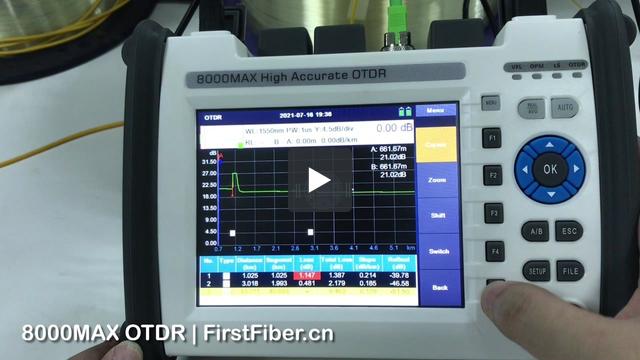
การทดสอบตัวแยก OTDR 8000MAX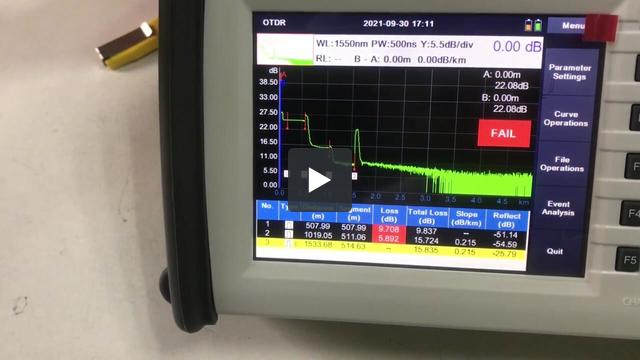
การตั้งค่าสายเคเบิลเปิดตัว OTDR 8000MAX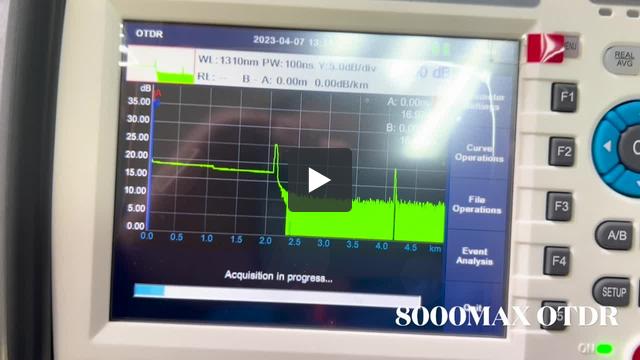
This is because the software is lack of right to write data to your computer. To solve it, please
- run the software by adminstrator.
or
- install the software in D disk, E disk, or any other disk, but not C disk.


Hi, this is because that parameter in OTDR is not same with parameter in PC software. Please change analysis parameters in PC same as OTDR.
A customer complains During generatiing of PDF File with test results marker A is visible on PDF File but marker B isn't visible on page.
It seems like there is a problem with scaling of results during export to PDF files.
During test where 2 files are created SOR and PDF in SOR file results are looking good. It's only problem with export to PDF.

Please check this out and send newest firmware if You had such problem earlier.
If not please check out and give us some updates once it's very high end client and they may order a 10 OTDRs more once we resolve this issue.
This is a softwere bug. Please upgrade your OTDR by the following steps to fix the bug.
Step 1.
Prepare a FAT32 USB flash disk.
Step 2.
Put the upgrade file into the USB flash disk. Be careful not to rename the file.
Step 3.
Insert the USB flash disk into the USB port of OTDR and wait for the USB icon to appear in the OTDR status bar.
Step 4.
Enter the system setting interface of OTDR and click the "upgrade" button.
Then, the screen will display the software upgrade interface, and the upgrade operation will be completed after the software is automatically restarted.
Step 5.
Finished.
Note: the upgrade file is for 8000MAX OTDRs that were pre-installed PDF generater. We strongly suggest you send us your OTDR series number to check if your OTDR can be upgraded or not before you upgrade your OTDR. You can contact our tech support by email tech@FirstFiber.cn
| Instructions | |
| Model Number | Max 8 characters, no special characters allowed. |
| Logo | High Resolution. (.jpg, .bmp, .psd, .cdr, etc) |
| Boot Screen | 800x480 px, format .bmp, and color depth 16-bit |
| Language | Please contact sales to request the English version of the field list. |
| แบบอย่าง | จำนวน/กล่อง | น้ำหนักสุทธิ | น้ำหนักรวม | ขนาด |
| 8000MAX | 6 | 15 กก. | 19 กก. | 47.5x34.5x52.5 ซม. |
| แบบอย่าง | จำนวน/กล่อง | น้ำหนักสุทธิ | น้ำหนักรวม | ขนาด |
| 8000MAX | 1 | 2.5 กก. | 3 กก. | 26x20x16 ซม. |


